Markdown and HTML views
View > Document View shows the document as Markdown or HTML in a source editor, alone or Side by Side with the formatted text, which follows a moment after you stop typing. Edits in the formatted text show in the source too. The source editor has syntax colours and line numbers (View > Source line numbers turns them off); Ctrl+mouse wheel zooms it.
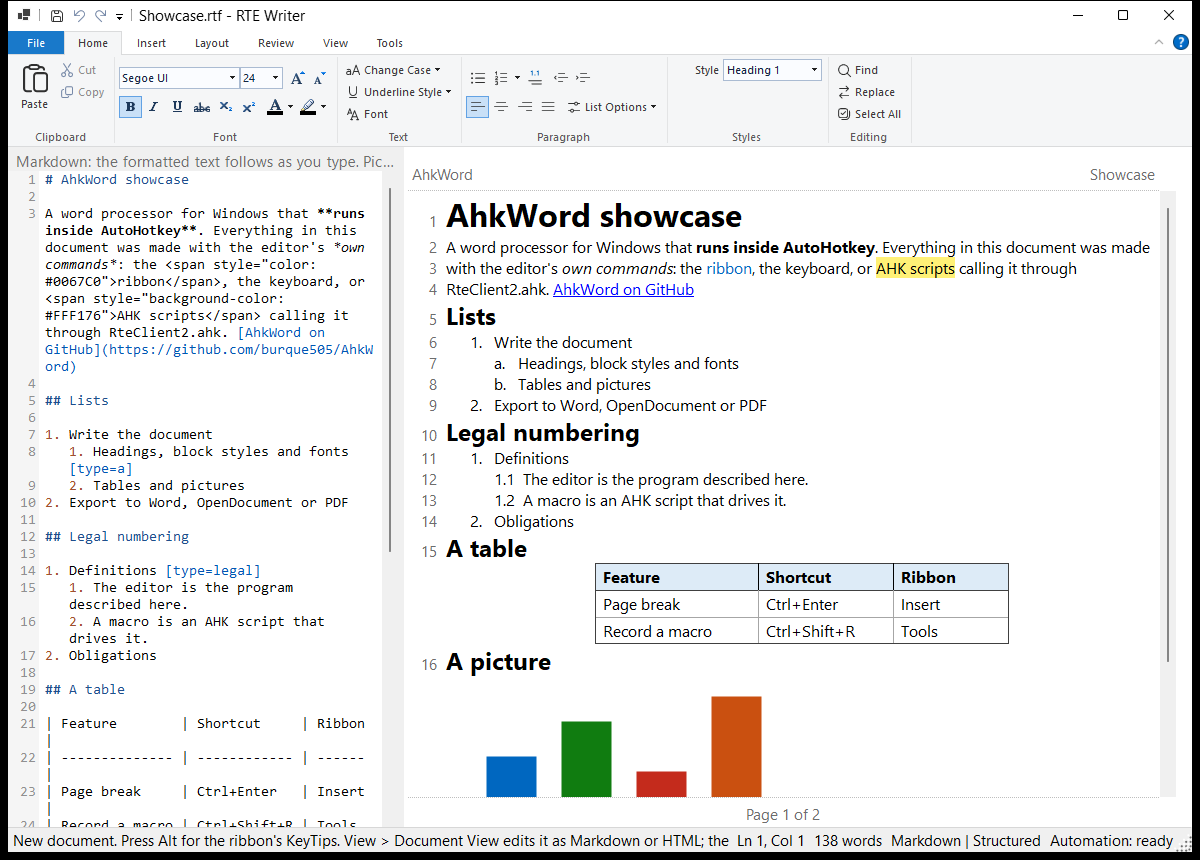
- A Markdown editor: a
.mdfile edited in the Markdown view is saved exactly as you typed it, your spacing, list markers and line endings included. (Edits made in the formatted view are saved as AhkWord writes Markdown.) - The formatting keys and buttons insert markup: Ctrl+B gives
**bold**(<strong>in HTML), Ctrl+1 to Ctrl+6 headings, the list buttons-and1.(renumbered as you indent with Ctrl+M), the alignment keys<div align>, the font box<span style>; Table, Link, Picture, Page Break and Date & Time insert theirs. Commands with no Markdown or HTML form say so in the status bar. - Line breaks (Shift+Enter) are
<br>in HTML, and\at the end of the line (or<br>in headings and table cells) in Markdown. - Tables are lined up: Markdown tables are written with their columns aligned. In the Markdown view, Tab and Shift+Tab in a table line it up again and move between cells (Tab in the last cell adds a row), and the Table button tidies the table the caret is in. A blank line, or a line without
|, ends a Markdown table. - HTML is laid out readably: one paragraph or heading to a line, lists and tables indented.
- Pictures show in the source as short names (
embedded-1.png...) instead of their data.
Markdown has no table formatting (widths, borders, shading), line spacing or space between paragraphs, so a .md file loses them; RTF, Word, OpenDocument and HTML keep them. A Markdown table row is a single line, so tables whose cells hold whole paragraphs are best edited in the formatted view.
From a script
Rte.View := "Markdown", Rte.SideBySide := 1, Rte.SourceText.